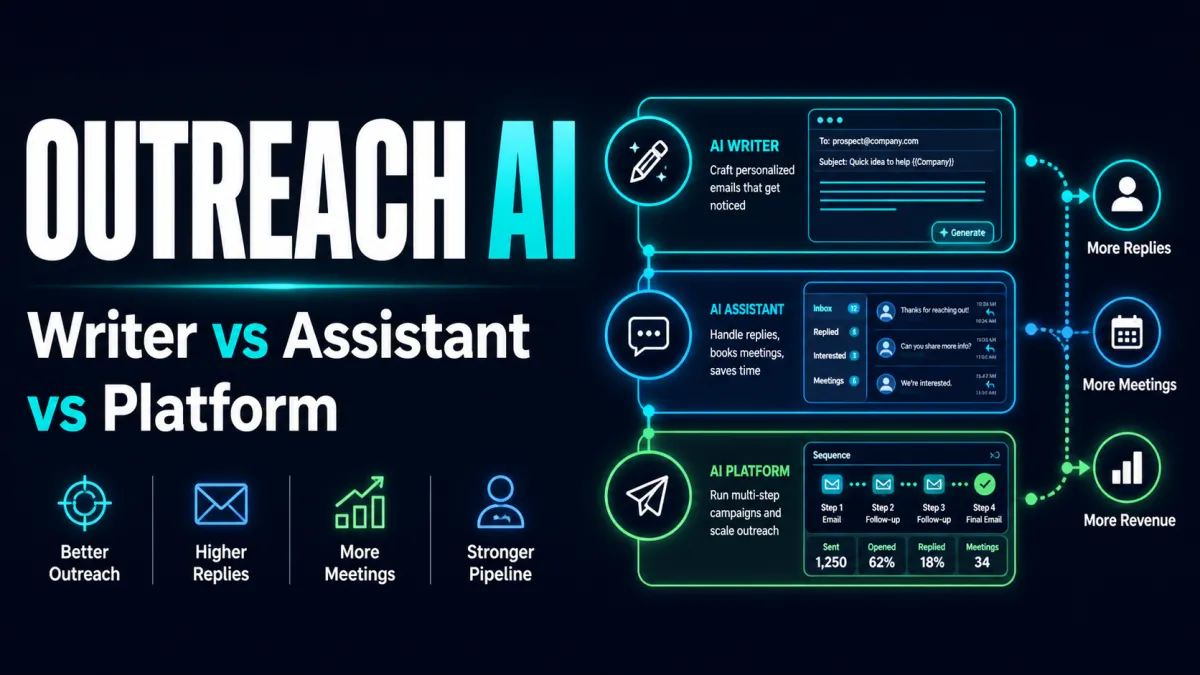
This article discusses how to choose the right AI email tool for sales outreach. Rather than a generic overview of AI writing, we solve a specific problem: helping sales teams distinguish between AI Writers, Email Assistants, and cold email platforms. Many people, when using an AI Email Writer for the first time, focus on "generating a complete email." The result is content that looks polite and smooth but reads like a generic template. The truly valuable approach is to define the email scenario first, then select the appropriate tool, template, or prompt. An email is not an essay; its goal is usually singular: to ensure the recipient understands your intent and is willing to take the next step.
Search Intent and Target Audience
This content is designed for scenario-based search. It is intended not just for users who "want to save time," but for those who frequently write business emails, English-language emails, sales outreach, client replies, marketing emails, or internal updates. For them, the value of AI is not expanding one sentence into five paragraphs, but organizing messy context into clear expressions, refining overly formal phrasing into natural language, and flagging inappropriate tones. Success revolves around lists, content, sending, follow-ups, and data. If you only focus on automated generation, you will likely end up with a batch of emails that look professional but lack specific, actionable information.
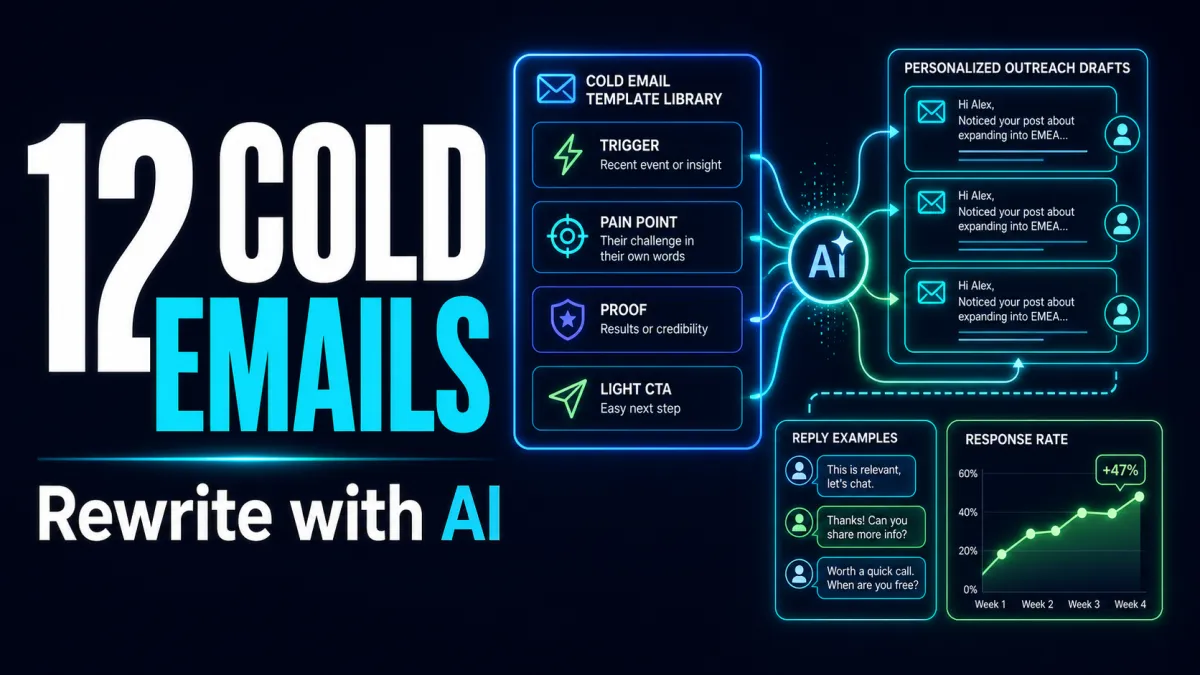
To judge whether an AI-generated email is useful, see if it answers three questions: Who is this for? Why now? What do you want them to do? Lacking any of these, generation tools tend to fill space with clichés. For example, a cold email becomes "We provide innovative solutions," a follow-up becomes "Just following up," and a client reply becomes "Thanks for your feedback." These sentences aren't wrong, but their information density is too low for the recipient to act on.
How to Choose
Before selecting an AI email tool or template, categorize your needs into four types. The first is drafting from scratch, such as partnership proposals, sales outreach, or event invitations. The second is polishing and rewriting, such as making English emails sound more natural or adjusting the tone from aggressive to restrained. The third is inbox context management, such as summarizing long threads, preparing replies, or organizing tasks. The fourth is marketing and cold email workflows, such as sequences, segmentation, automated follow-ups, and data analysis. Different needs require different tools; don't just look for "AI writing" features.
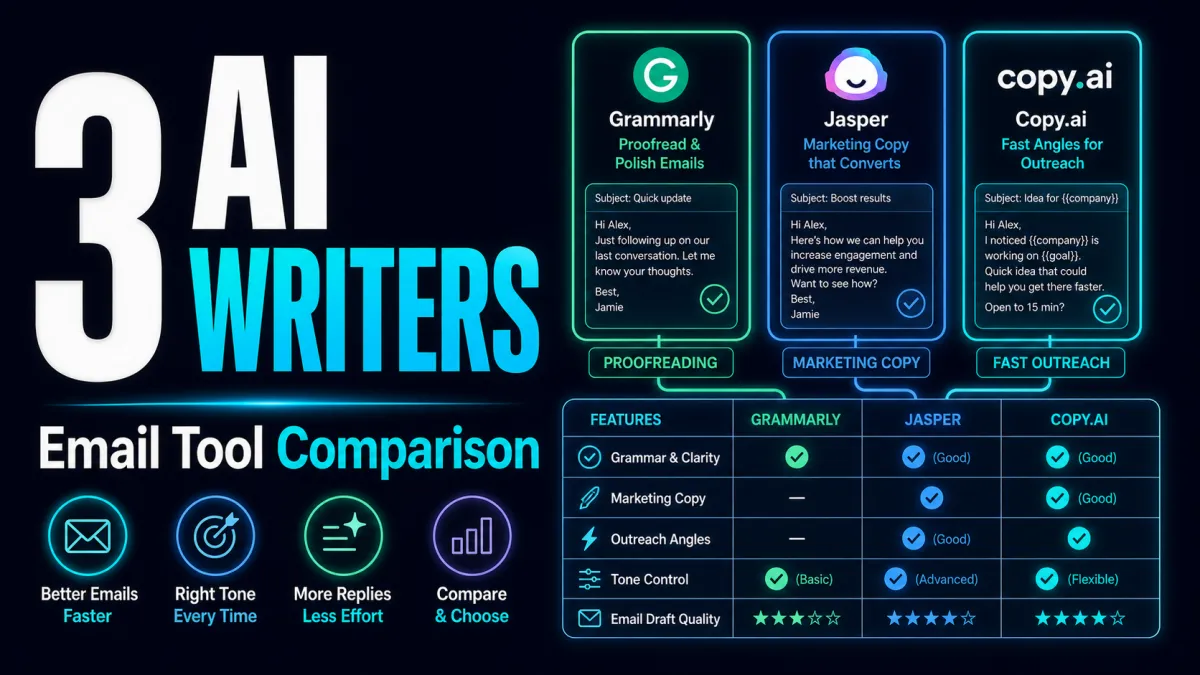
If you need high-quality expression, tools like ChatGPT, Claude, Grammarly, or Wordtune are worth looking at first. If you need a sales outreach workflow, platforms like Saleshandy, Instantly, Smartlead, lemlist, or Apollo are closer to your actual work. If you handle high volumes of email in Gmail or Outlook, assistants like Gemini for Gmail, Microsoft Copilot for Outlook, Superhuman, or Shortwave are more convenient. If you do newsletters or e-commerce marketing, the value of MailerLite, HubSpot, Klaviyo, ActiveCampaign, or Brevo lies more in audience management and automation than just body text generation.
Best Practices
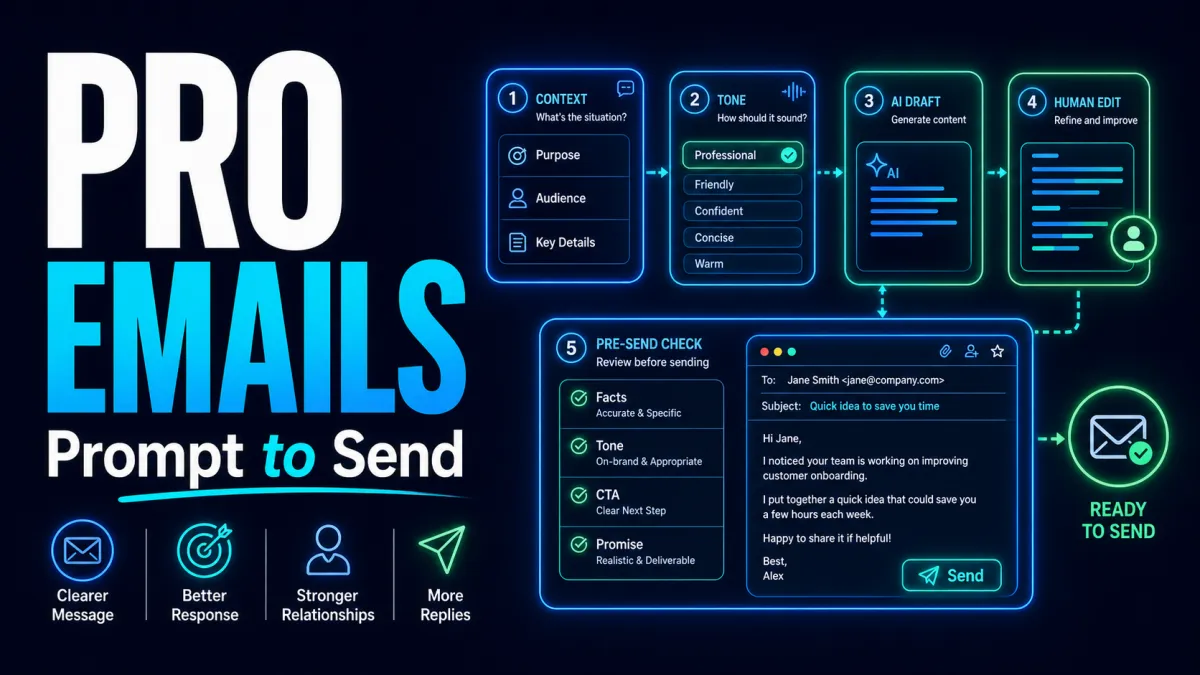
A reliable workflow is to write the facts first, then let AI write the email. Don't just input "Help me write a professional email." A better prompt should include six elements: recipient identity, your relationship, the email's purpose, must-have facts, desired action, and tone constraints. For example: "Write to a SaaS user who has been on a 14-day trial but hasn't activated core features. The goal is to invite them to a 15-minute call. Do not exaggerate product benefits, and keep the tone direct but not pushy." This input is far more important than a template title.
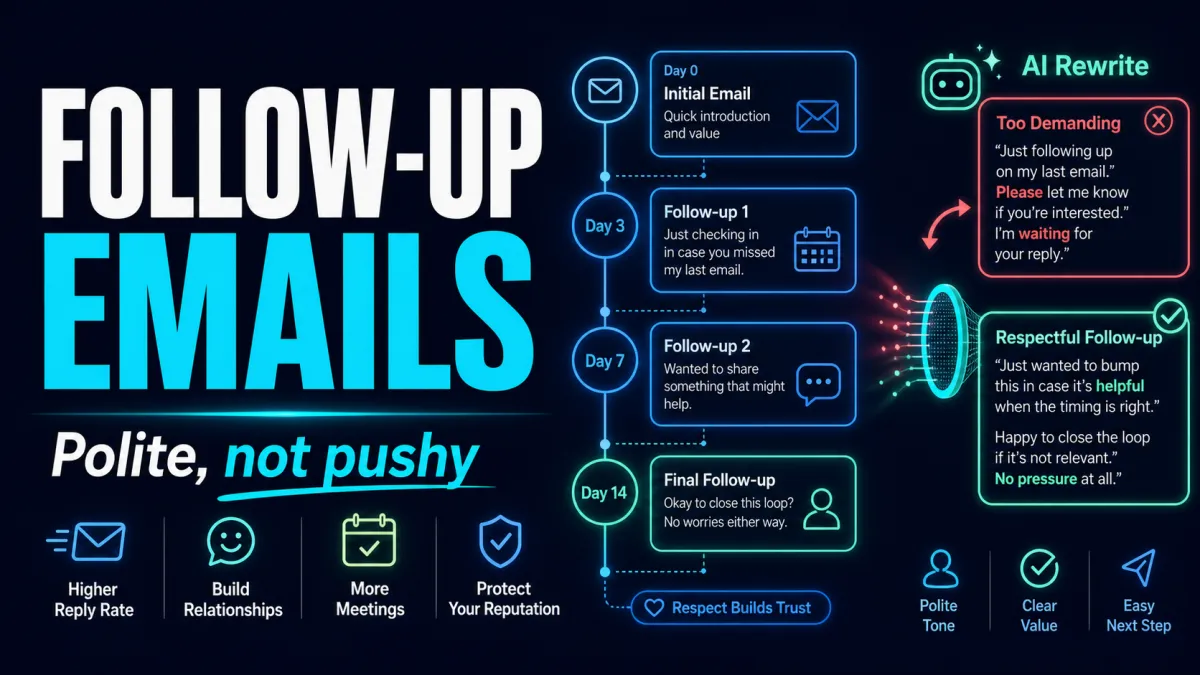
Don't send immediately after generation. Let the AI self-review: Which sentences lack factual support? Which expressions sound like marketing fluff? Is the CTA too heavy? Is there room for misinterpretation? Then, edit it yourself. Often, the biggest problem with the first AI draft isn't errors, but that it's too "complete." Real emails are usually shorter, more specific, and more selective. Especially for cold emails and follow-ups, it's better to write less than to clutter the message with information the recipient doesn't care about.
Common Pitfalls
The first mistake is treating AI as an auto-sending machine. Emails involve relationships and commitments; the closer you get to clients, quotes, complaints, contracts, or HR matters, the more human judgment is required. The second mistake is over-relying on templates. Templates provide structure, but they cannot provide the real triggers you need. The third mistake is "politeness stacking"—being overly courteous at the beginning and end while lacking a clear request in the middle. The fourth mistake is using the same rhythm for every email, which eventually makes your brand voice feel rigid.
Another overlooked issue is language style. A common problem in Chinese emails is the use of abstract words, while English emails often suffer from excessive enthusiasm. AI-generated English outreach often features too much praise, over-promising, and overly long background introductions. Use a simple rule before sending: delete any sentence that doesn't help the recipient make a decision faster. What remains should be facts, reasons, next steps, or necessary politeness.
Tool Selection Advice
If you are an individual user, start with general writing and polishing tools; don't rush to buy complex platforms. You likely just need to make your drafts sound natural, not build an entire automation suite. If you are a sales team, prioritize lists, sequences, deliverability, reply management, and data over just an "AI copy" button. If you are a marketing team, look at segmentation, triggers, A/B testing, and template management. If you are in customer support or success, look for collaboration, context, and approval workflows rather than just how pretty a single email looks.
When evaluating tools, test them with three real emails: a cold email, a client reply, and a follow-up. Don't use the tool's built-in examples, as they are usually overly idealized. See if it can handle specific context, if it hallucinates facts, if it can write in different tones, and if it's easy to edit before sending. Only tools that pass these three tests are worth further trial.
Conclusion
The core of choosing an AI email tool for sales outreach isn't "Can AI write emails?" but "Can it help you write clearer, more specific, and more responsive emails?" A good AI Email Writer should reduce fluff, not create more pretty paragraphs; it should help you control your tone, not make business decisions for you; it should help you think faster before sending, not turn your emails into uniform templates. Define your scenario, choose the right tool, and test with real content—this is a more reliable path than chasing feature lists.